Home
Text to image and image to image in one workspace

Nano Banana Pro AI Image Generator

Create detailed images from words, refine existing photos with natural-language edits, and keep characters, products, and typography consistent. Bimg puts Nano Banana Pro in a focused generator that is ready for real creative work.

Describe an image or add reference images, then review the settings before you generate.

Describe an image or add reference images, then review the settings before you generate.

Built for deliberate image creation

What is Nano Banana Pro?

Nano Banana Pro is an advanced AI image model for generating new visuals and editing existing images with natural language. It is especially useful when a composition needs readable text, specific visual details, reliable subject identity, or a polished high-resolution finish.

On Bimg, the model is available inside a practical single-image workspace. Start with a text prompt for text to image, upload one or more references for image to image, select an aspect ratio and resolution, and generate only after the setup looks right.

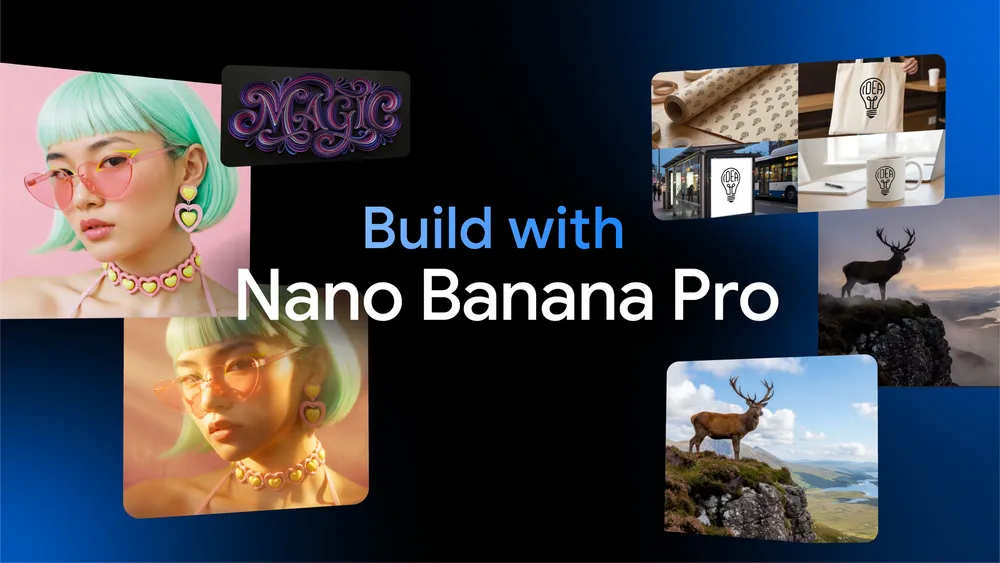
Official Nano Banana Pro creative montage

Nano Banana Pro Text to Image Generator

Turn a written idea into a complete image. Strong prompts describe the subject, environment, composition, lighting, visual style, and any text that must appear in the final design.

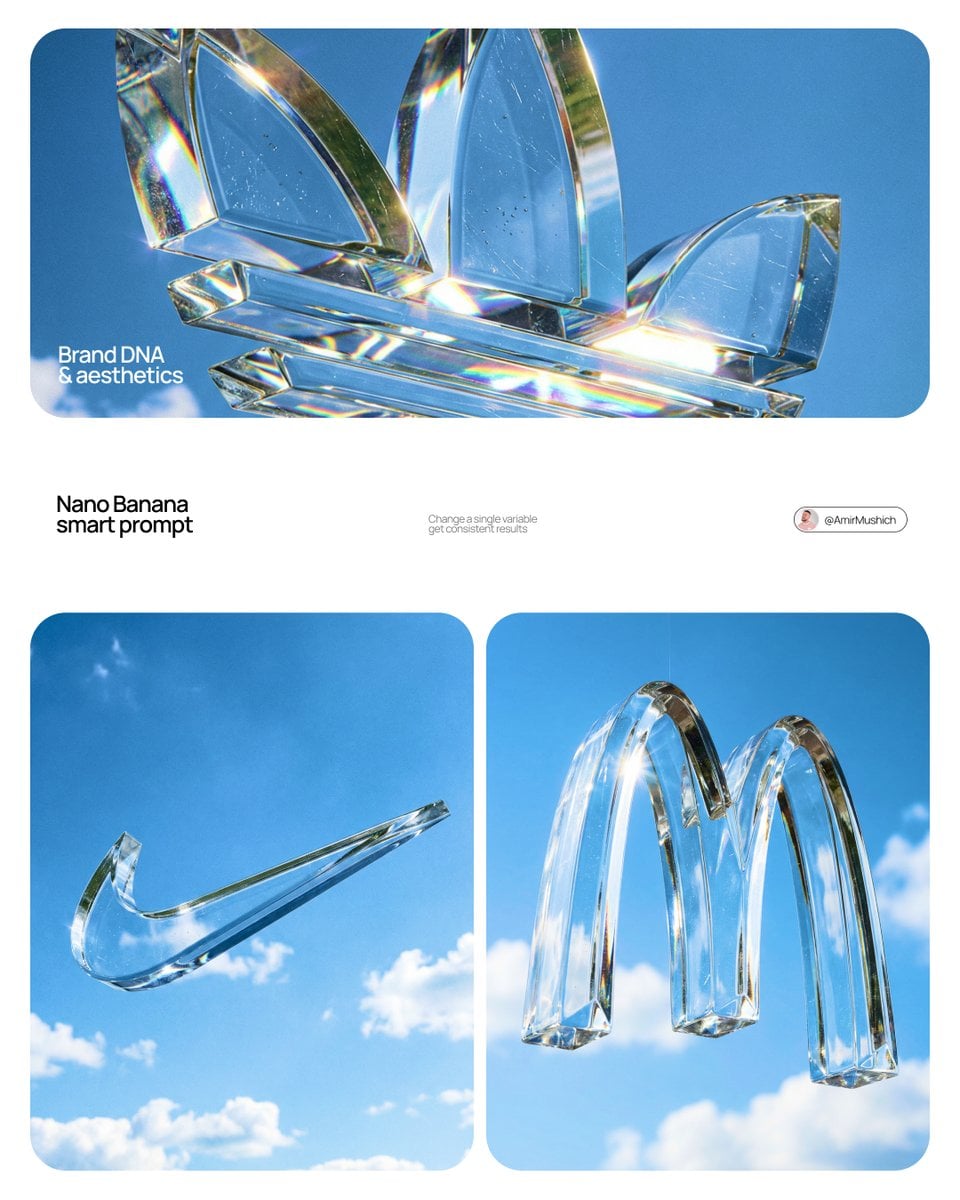
Crystal glass brand symbols floating in a vivid blue sky

Crystal Brand Sculpture

Create a massive three-dimensional sculpture of a brand logo in optical-grade crystal glass. Suspend it against a vivid blue sky with soft clouds, precise beveled edges, realistic refraction, sharp sunlight, and high-end commercial CGI art direction.
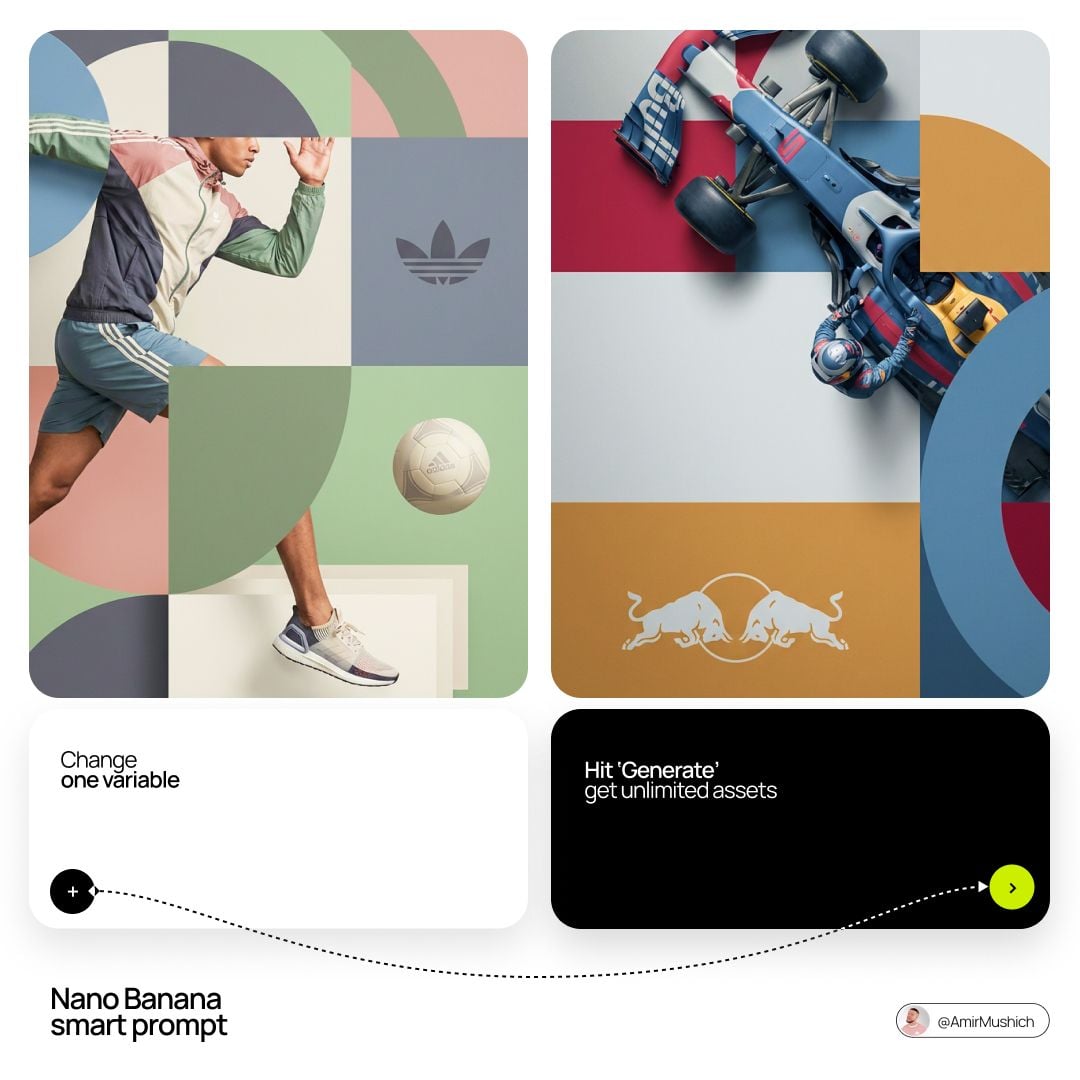
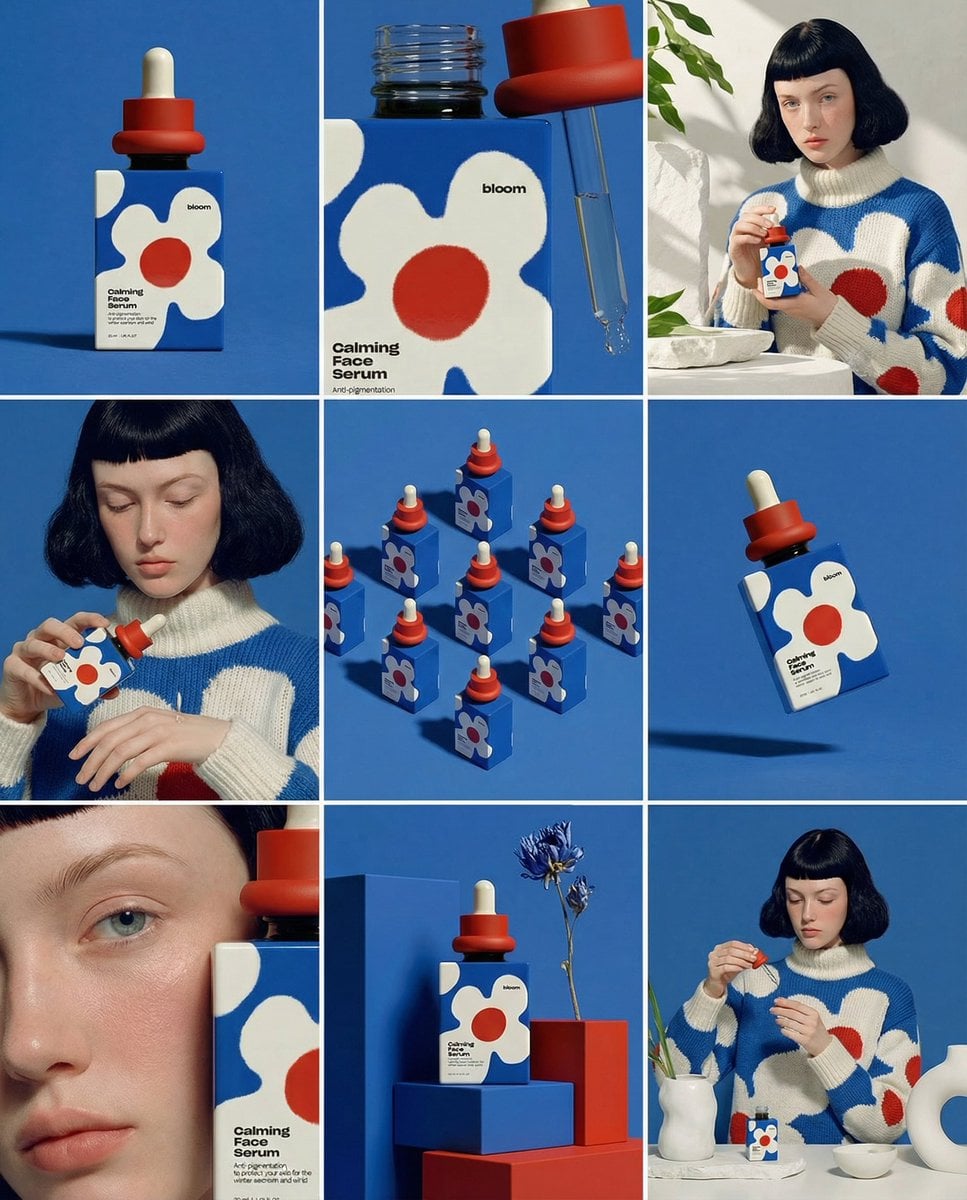
Muted editorial campaign layouts combining subjects and geometry

Editorial Brand Composition

Create a high-end editorial campaign in a clean 2x2 grid. Interweave the subject with large geometric arcs and circles, use a sophisticated muted version of the brand palette, soft studio lighting, matte color blocks, and restrained logo placement.

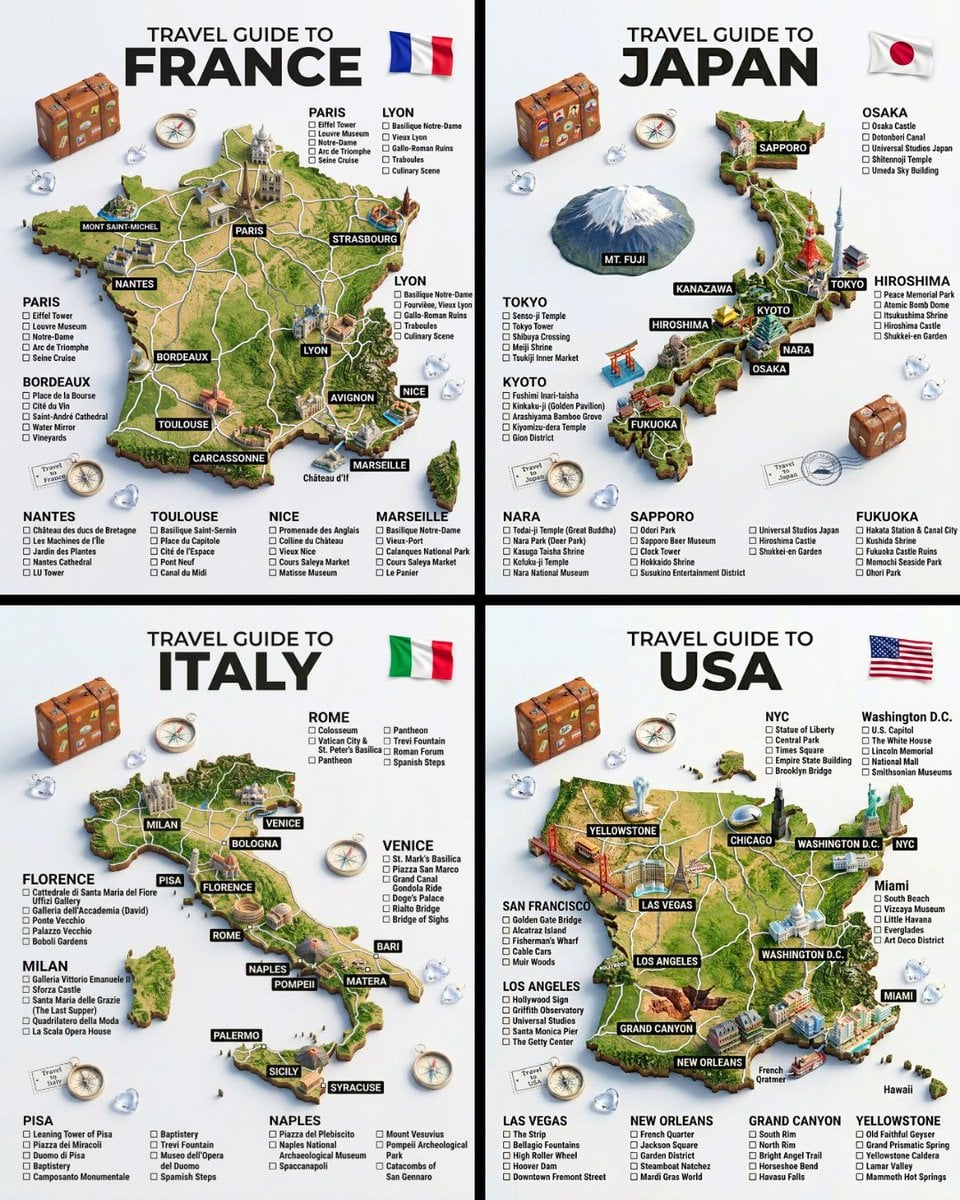
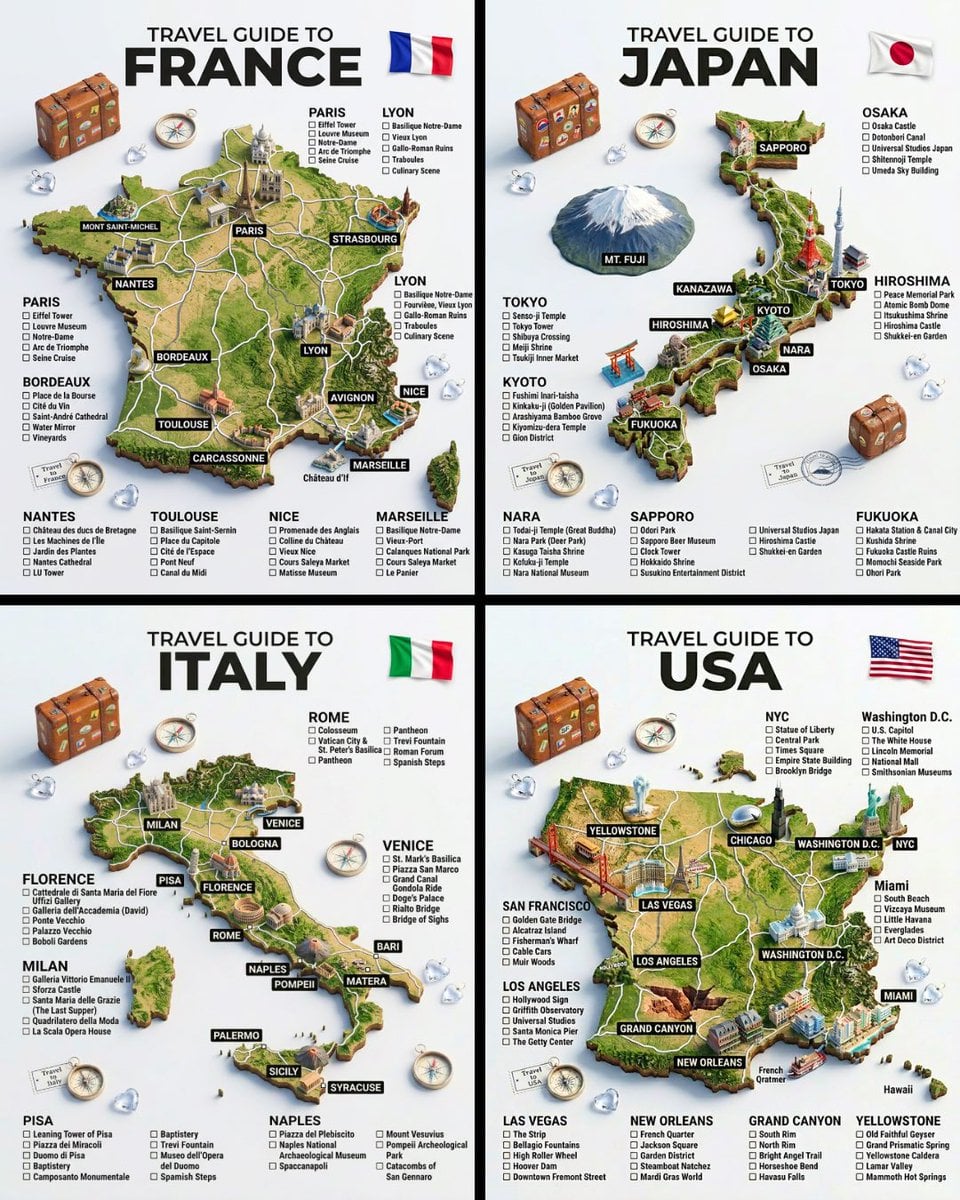
Detailed three-dimensional travel guide maps for four countries

3D Travel Guide

A hyper-realistic 3D travel guide infographic poster for [COUNTRY]. The country shape is rendered as a raised, textured terrain map floating on a clean light gray surface. Iconic landmarks are placed as miniature 3D sculpted models at their correct geographic locations across the map — each one highly detailed and photorealistic. Roads or railway lines connect key cities as white paths across the terrain. Around the map, floating 3D decorative props related to travel are scattered: a vintage leather suitcase with travel stickers, a compass rose, crystal heart charms, and a postage stamp seal reading “Travel to COUNTRY.” The national flag of [COUNTRY] is shown as a small realistic folded flag in the upper right corner. Each major city has a bold black label on the map, and beside the map, each city has a neat checklist of its top attractions in clean sans-serif typography. A large bold title at the top reads: “TRAVEL GUIDE TO “COUNTRY”” in black uppercase typography with the word [COUNTRY] in heavy bold. The overall aesthetic is premium editorial travel content — soft studio lighting, photorealistic 3D render, white/light gray background, clean layout.

The button fills the top generator with the example prompt. It does not generate or spend credits until you confirm.

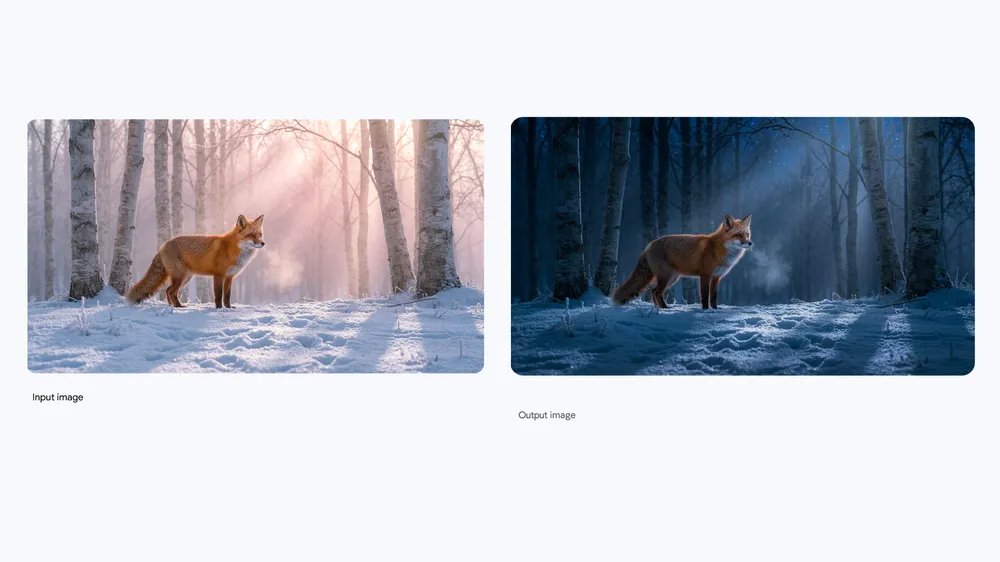
Nano Banana Pro day and night fox edit example

Nano Banana Pro Image to Image Generator

Upload a reference and describe the change you want. Preserve what matters, replace what does not, and guide the result with clear instructions instead of rebuilding the image from scratch.

Keep the fox, camera angle, framing, and natural fur detail consistent. Transform the scene from warm daylight into a cinematic moonlit night with cool blue light, soft mist, and realistic shadows.

This example sends the edit instruction to the top generator and focuses the reference upload control. Add your own source image before generating.

Why create with Nano Banana Pro on Bimg?

A strong model matters, but the workflow around it matters too. Bimg keeps the controls, references, output, and recent results together so you can iterate without losing context.

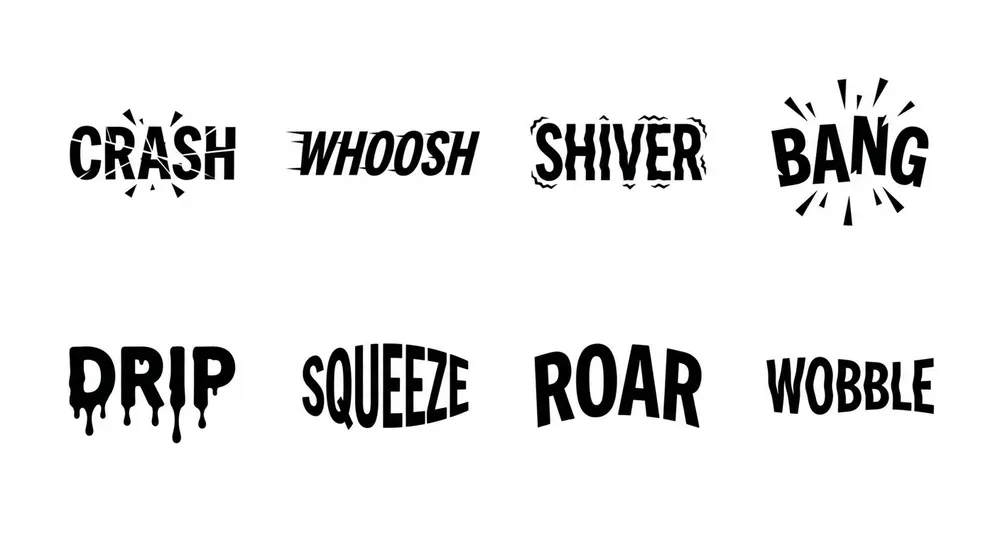
Nano Banana Pro example with accurate text rendering

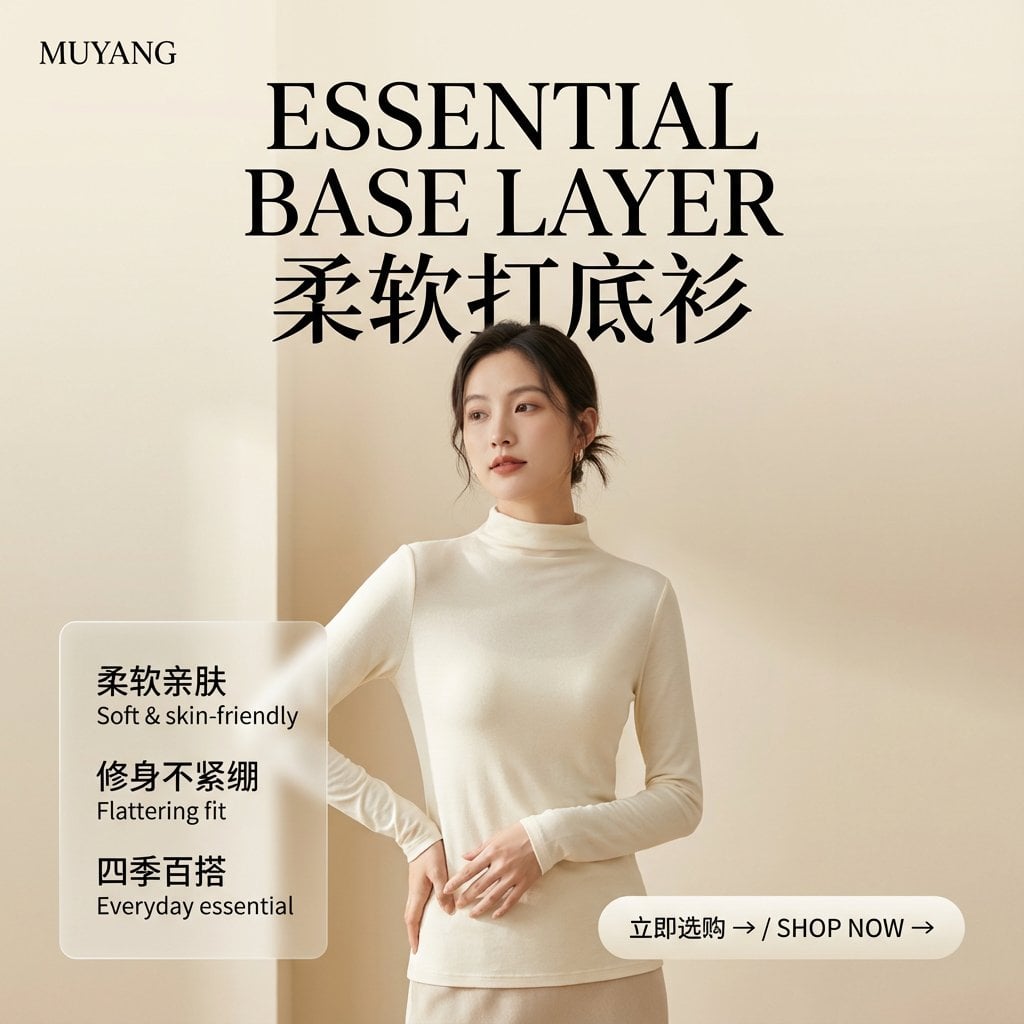
Accurate text inside images

Create posters, menus, labels, diagrams, mockups, and social graphics where wording is part of the visual. Put the exact copy in quotation marks, describe its position and hierarchy, and state the language you need.

Text to imageImage to imageNano Banana Pro
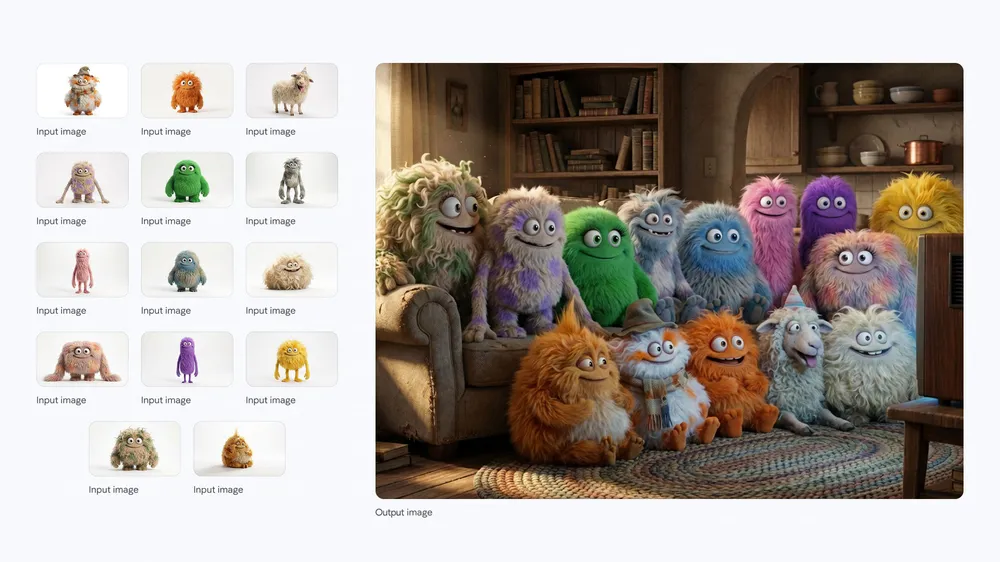
Consistent character set created with Nano Banana Pro

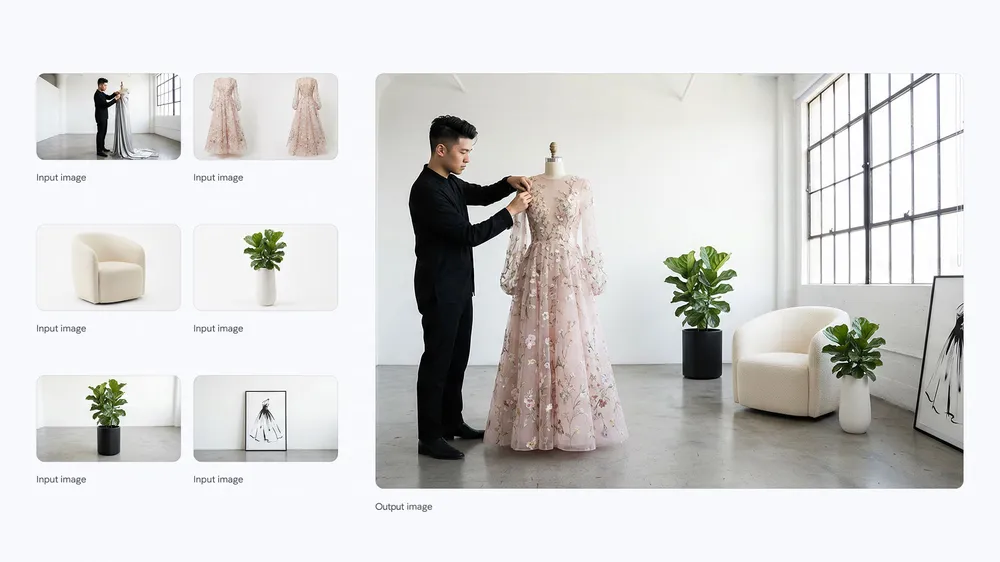
Consistent subjects and references

Use reference images to retain a recognizable character, product, outfit, or visual direction across an edit. The workspace supports multiple references when the selected model and resolution allow them.

Text to imageImage to imageNano Banana Pro
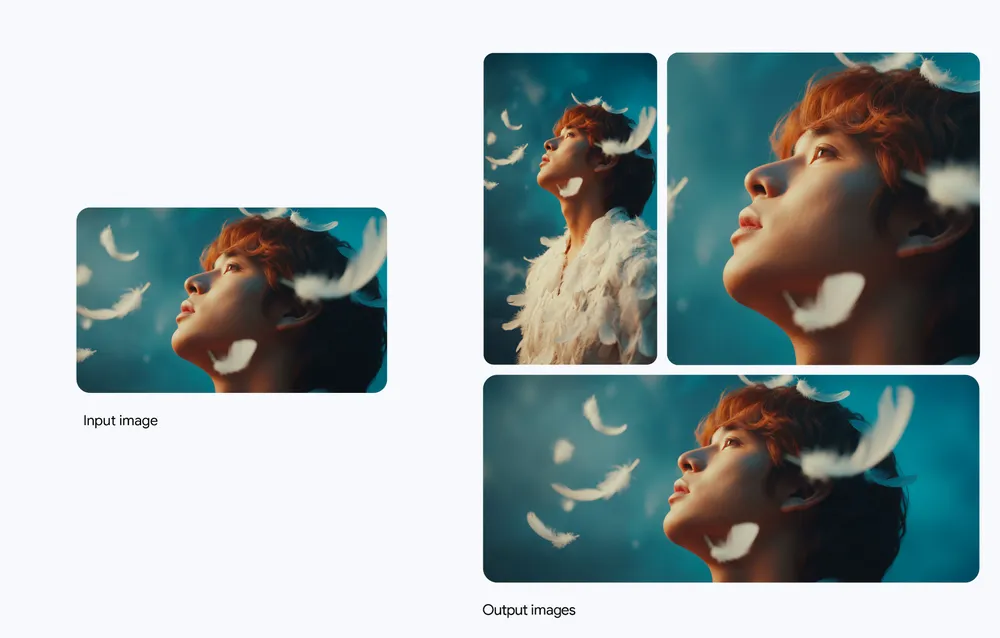
High detail and flexible aspect ratios in Nano Banana Pro

Detailed output up to 4K

Choose 1K for quick exploration, then move to 2K or 4K when a concept is ready for a sharper final render. Available options and credit cost remain visible before generation.

Text to imageImage to imageNano Banana Pro

Choose the right Nano Banana model

Bimg includes the Nano Banana family so you can match quality, speed, and cost to the job instead of forcing every idea through one setting.

ModelBest forOutput
Nano Banana ProComplex compositions, accurate text, consistent subjects, and production-ready detail1K / 2K / 4K
Nano Banana 2Everyday high-quality generation and edits with a balanced workflow1K / 2K / 4K
Nano Banana 2 LiteFast lightweight experiments, drafts, and high-volume ideation1K
Nano BananaSimple text-to-image ideas and straightforward image edits1K

How to use Nano Banana Pro on Bimg

Go from an idea to a downloadable image in three clear steps.

1

Write the prompt

Describe the subject, scene, composition, lighting, style, and exact text. For an edit, say what must stay unchanged as well as what should change.

2

Add references and settings

Upload source images when needed, select Nano Banana Pro, then choose the aspect ratio and resolution that fit the destination.

3

Generate, review, and refine

Confirm the visible credit cost, generate one result, then adjust the prompt or references to make the next version more precise.

A practical Nano Banana Pro prompt guide

The best prompts read like a compact creative brief. Start concrete, make relationships explicit, and use constraints to protect the details that matter.

Name the subject and composition

Instead of asking for a product photo, specify the product, camera angle, background, framing, materials, lighting, and intended placement of empty space.

Quote text exactly

For text-heavy designs, include the exact wording in quotation marks and describe font character, size, alignment, contrast, and position.

Protect details during edits

Use phrases such as keep the face, pose, logo, proportions, and camera angle unchanged, then describe only the desired transformation.

Iterate one variable at a time

When a result is close, change one instruction rather than rewriting everything. Small controlled revisions make it easier to understand what improved the image.

Pick your plan to get started

Plus

Monthly credits that refresh every billing cycle

$19.9$9.9/month

$119 billed yearly

2,200 Credits/month
  • 2,200 credits every month — up to 1,100 images / month
  • All AI models — Nano Banana & GPT Image 2
  • Every resolution up to 4K
  • Failed generations auto-refunded
  • Commercial usage license
Popular

Pro

Monthly credits that refresh every billing cycle

$49.9$24.9/month

$299 billed yearly

6,000 Credits/month
  • 6,000 credits every month — up to 3,000 images / month
  • All AI models — Nano Banana & GPT Image 2
  • Every resolution up to 4K
  • Batch generation: variations, products, and CSV — up to 200 imagesPro & Max only
  • Failed generations auto-refunded
  • Commercial usage license

Max

Monthly credits that refresh every billing cycle

$99.9$49.9/month

$599 billed yearly

15,000 Credits/month
  • 15,000 credits every month — up to 7,500 images / month
  • All AI models — Nano Banana & GPT Image 2
  • Every resolution up to 4K
  • Batch generation: variations, products, and CSV — up to 200 imagesPro & Max only
  • Priority generation queue
  • Failed generations auto-refunded
  • Commercial usage license

Nano Banana Pro FAQ

What is Nano Banana Pro?

Nano Banana Pro is an AI image model for generating images from text and editing images with natural-language instructions. It is designed for detailed compositions, more reliable text rendering, subject consistency, and high-resolution output.

Can I use Nano Banana Pro for text to image?

Yes. Enter a prompt without uploading a reference image, choose your aspect ratio and resolution, and generate a new image from the description.

Can I use Nano Banana Pro for image to image?

Yes. Upload one or more reference images and explain what should change and what should remain consistent. Review the references and settings before generating.

Does clicking an example generate an image immediately?

No. Example buttons only fill the top generator with a prompt and, for edit examples, focus the upload area. Credits are used only after you press the generator's create button.

What resolution does Nano Banana Pro support on Bimg?

The current Bimg model configuration supports 1K, 2K, and 4K output. The available choices and credit cost are displayed directly in the generator.

How is Nano Banana Pro different from Nano Banana 2?

Nano Banana Pro is positioned for demanding compositions, text, consistency, and final detail. Nano Banana 2 is a balanced option for everyday generation and editing. Use the model selector to compare the available cost and settings.

What is Nano Banana 2 Lite best for?

Nano Banana 2 Lite is the lightweight option in the family. It is useful for quick drafts, experimentation, and workflows where speed or generation volume matters more than maximum output detail.

Can Nano Banana Pro create readable words in an image?

It can handle text-focused designs more reliably than many general image workflows, though every result should still be reviewed. Quote the exact copy and describe its hierarchy, location, language, and visual treatment.

How many reference images can I upload?

The current Nano Banana Pro configuration on Bimg accepts up to five reference images when the chosen settings support references. The upload control shows the active limit.

Where do the homepage gallery examples come from?

The gallery uses the existing Nano Banana prompt collection and preserves its current card interactions and attribution. Separate feature illustrations on this page use authorized official model examples.

Turn your next idea into an image with Bimg

Start with a clear prompt, add references when they help, and create one considered Nano Banana Pro result at a time.

Nano Banana Pro multi-reference fashion composition